Video Production 101: The Ultimate Guide for Beginners and Professionals
Key Takeaways
- Video production is the full process of creating a video, spanning three phases: pre-production (planning), production (filming), and post-production (editing and finishing).
- Video remains one of the highest-performing formats in marketing. In Wyzowl’s 2026 research, 85% of people said a video convinced them to buy something, and 84% said they want more video from brands.
- Pre-production is where most of the outcome is decided. Clear goals, a defined audience, a strong script, and a solid storyboard make everything downstream easier.
- AI has become a genuine part of the workflow in 2026, useful for scripting, storyboarding, b-roll, editing, dubbing, and music. The best results come from a human-in-the-loop approach that pairs AI speed with human judgment.
Choosing the right production partner, and ideally building a long-term relationship, usually delivers better quality and value than juggling freelancers or going fully DIY. This guide is a complete resource for anyone working in or exploring video production, especially with business growth in mind. It covers the fundamentals, the details of each production phase, the role AI now plays in the process, the key video types to consider for your brand, and how to choose the right production partner. Whether you’re planning your first video or refining a mature content program, you’ll find what you need below. Ready to dive in?
Introduction
What Is Video Production?
Video production is the overarching term for the entire process of creating a video. Used narrowly, “production” can refer only to the part where you shoot the footage, which we cover in its own section below. But in most cases, video production refers to everything that goes into making a video: ideation, planning, shooting, editing, and everything in between.
Why Is Video Production Important?
Video is impossible to ignore in today’s media landscape. You see the results of video production everywhere: in the commercials on TV and streaming apps, in social media ads, on digital billboards, on video-first platforms like YouTube and TikTok, in marketing emails, and virtually anywhere else dynamic content can live.
Video production matters because it works. Marketers use video at every stage of the marketing funnel to attract new audiences, engage existing ones, drive conversions, and build loyalty. Whatever your business goals, video is likely one of the best tools to help you reach them.
A few current video marketing statistics underline the point. According to Wyzowl’s 2026 research, 85% of people say they’ve been convinced to buy a product or service after watching a video, 84% want to see more video from brands, and 89% say the quality of a brand’s video affects how much they trust it. On the business side, roughly nine in ten companies now use video as a marketing tool, and video accounts for the large majority of all internet traffic. In short, video is no longer optional. It’s infrastructure.
What You’ll Learn
This is meant to be your all-in-one guide to video production. If you’ve never made a video and want a comprehensive overview, reading start to finish will give you a solid foundation. If you’re mid-project and need help with a specific piece, skip to the section you need and follow the linked guides for deeper dives. By the end, you’ll understand:
- What pre-production is, and why it’s the key to your video’s success
- How to develop goals, timelines, and budgets for your project
- How to write a script, storyboard, and call sheet for your production
- Where to find talent and crew members
- Best practices for capturing high-quality footage on shoot day
- How to set up audio and lighting for the best results
- How to edit your footage into a cohesive narrative, and how to approach sound mixing and color correction
- Where to host and distribute your final video
- How AI fits into the modern production workflow
- The main types of marketing videos, and how to choose the right production partner
Pre-Production
Pre-production is the first major phase of the process. It’s where you get clear on your goals and make all the plans that set up a smooth production day. Time invested here pays off many times over later.
Planning and Conceptualizing
Identifying Your Video’s Purpose
The first and most important step of any video production is getting clear on the video’s purpose. A video meant to drive sales for one product on Instagram looks very different from one meant to educate a conference audience about your industry. A great way to sharpen your purpose is to tie it to a specific stage of the marketing funnel: decide whether you’re driving awareness, supporting consideration, or pushing for a decision. Then refer back to that purpose as you make every downstream decision, from aspect ratio to music to casting.
Defining Your Target Audience
Once you know the purpose, it’s time to define your audience. Sometimes the purpose determines the audience for you. Other times you’ll have decisions to make. A video on your company’s Instagram will mostly reach existing followers, while a TV spot or digital billboard calls for a much more deliberate targeting decision so you know exactly who you’re speaking to.
Brainstorming and Developing Ideas
Now that you know your purpose and audience, it’s time to brainstorm. Set the expectation that there are no bad ideas at this stage. The goal is to get everything on the table, then gut-check each idea against your purpose and audience. If you get stuck, look at videos you’ve enjoyed recently or what others in your industry are making, but save that exploration for later so it doesn’t crowd out your original thinking, and treat any references as loose inspiration rather than a template.
Assessing Your Available Resources
Next, decide how much outside support you need. If you have a strong in-house video team, you may handle the whole project yourself. If you need help with specific pieces, freelancers can fill the gaps. And if you want an experienced team to guide the whole thing, partnering with a third-party production company is a great option. A good production company brings the full crew and applies expertise at every stage, and typically acts as project manager so you can take more of a back seat. If you’re unsure which route fits, this overview of the benefits of hiring a production company can help.
Developing a Timeline and Budget
Your budget and timeline are the benchmarks that keep a production on track. Skip this step and you risk a project that runs far longer, or costs far more, than expected. As a rule of thumb, most projects take 8 to 12 weeks. Projects with no live filming, like stock footage or animation, can often shave off several weeks.
Budgets vary more widely. The best way to understand the cost of your project is to talk to a production partner or start breaking down specific line items if you’ll manage it yourself. In general, a basic self-managed production might run from $500 to $5,000, while a complex commercial with a production company can run $25,000 or more. If your budget is tight, set expectations accordingly before you begin.
Script Writing
Structuring the Script
If your video includes actor dialogue, voice-over, or on-screen text, a script keeps those elements aligned. Here’s the structure we recommend: for each scene, write a short description of the set and any relevant context. Below it, leave a line each for actor dialogue, voice-over, on-screen text, and visual notes such as camera or lighting cues and actor movement. Structured this way, your crew, talent, and editors can all see exactly how a scene should play out at a glance.
Writing the Script
Writing a great script is arguably the most important part of the process. Most effective videos open with a strong hook, move into a problem and solution, and close with a clear call to action. For voice-over and dialogue, keep word count in mind. A good rule of thumb is roughly two words per second, so aim for about 60 words or fewer for a 30-second script and 30 words or fewer for a 15-second script.
Implementing Revisions and Feedback
Build in time for revisions. Depending on how many people are involved, feedback can add anywhere from a few days to a few weeks to pre-production. Try not to involve too many voices, since the more opinions you fold in, the more likely you are to water down a strong idea. It’s also common to get suggestions that ignore the time and word-count limits, so state those constraints up front when you send the script for review.
Storyboarding
The Importance of a Storyboard
A storyboard is a visual-heavy adaptation of your script. The finished version looks like a panel-by-panel drawing of your entire video, and it helps directors, videographers, and crew bring your vision to life as accurately as possible on set.
Planning Shots and Camera Angles
The storyboard phase is also when you plan your camera shots and angles. Will a given scene look best as a close-up? Do you need to pan across your product? Do you want specific b-roll at certain moments? If you’re new to this, it’s fine to lean on your production partner or camera crew. If you want to be hands-on, document how you picture each shot. The more detail, the better.
Casting and Talent Preparation
Where to Find Talent
Casting is one of the least understood stages, but it doesn’t have to be intimidating. The most popular avenues are online platforms like Backstage or Actors Access, where you post a description and actors submit self-tapes. If that sounds like a lot, you can work with a producer or casting director, and if you hire a production company, they’ll usually handle casting for you.
Tips for Auditioning Talent
As you audition talent, it’s easy to get distracted by appearance or charisma that may not translate on screen. Start instead from your target audience and ask which type of actor will resonate with them. Be wary of anyone over-acting or ignoring the direction in your casting call, since that tends to predict how they’ll behave on set. Finally, stay open-minded about who can play a role. You may be pleasantly surprised.
Tips for Rehearsals and Preparation
Experienced actors usually handle their own preparation, from memorizing lines to adapting their tone to your video’s feel. Your job is to over-communicate rather than under-communicate. If there are specific lines you want emphasized or actions you want taken that aren’t obvious from the script or storyboard, let your talent know as early as possible so they can prepare.
Production
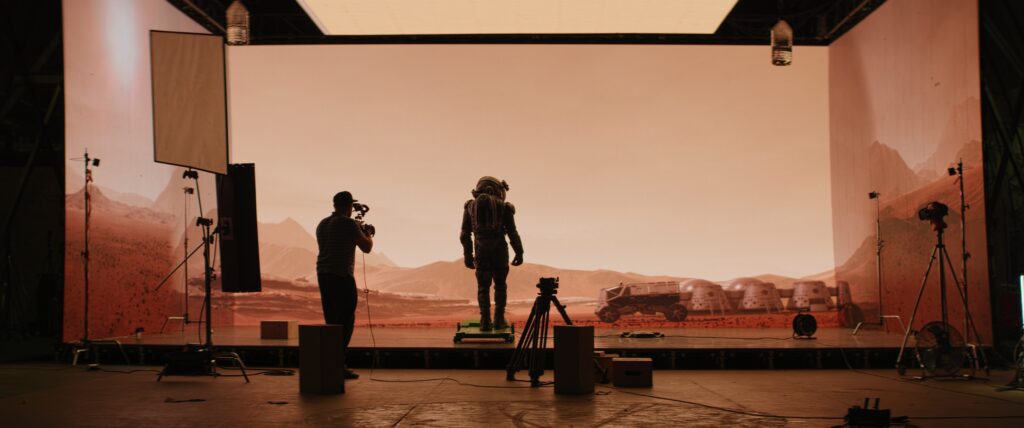
Production day is here. This phase covers everything that goes into the shoot itself: equipment setup, crew, set design, and the process of capturing footage.
Equipment and Crew Selection
Choosing Cameras, Lights, and Audio Equipment
High-quality cameras, lighting, and audio equipment can make or break a video. If you’re not an expert here, lean on your crew and trust their recommendations. When you hire freelancers or a production team, they’ll usually bring their own gear, which means one less thing for you to source and a crew already fluent in the tools they use every day.
Tips for Hiring Crew Members
Hiring crew is similar to hiring talent, with a few differences. When hiring a videographer, it’s especially important that you like the look and feel of their past work, so ask for a demo reel and look for signs of your own vision in it. For other roles, ask for the equivalent portfolio or references. Someone can be highly skilled but difficult to work with on set, and that’s worth knowing before you hire.
Location Scouting and Set Design
Finding and Preparing Filming Locations
Your shoot location depends heavily on the type of video. A product video often calls for a studio, a doc-style video might film at your office, and a lifestyle commercial could go almost anywhere. If you need a very specific look, a location scout can simplify the search. Once you find the right spot, make sure you have the rights and any permits needed to film there.
Tips for Designing Sets and Using Props
The final prep step is designing your set. Beyond the location, make sure each shot’s backdrop matches your vision, considering lighting, color, focus, and how the background shifts from shot to shot. This is also the time to gather props. Check your script and storyboard for any objects central to the story, like a phone or a cup of water, then add the smaller touches that make a set feel complete. In an office scene, that might be a lamp, a computer setup, and a notepad. These small choices add up on screen.
Shooting
Creating and Following a Call Sheet
Your call sheet guides everyone through production day. It lays out which scenes are shot when, who’s needed for each, when breaks happen, and when the day wraps. If you’re managing your own shoot, build your own call sheet to stay on schedule. If you’re working with a production company, they’ll usually create it and send you a copy.
Setting Up Equipment
Equipment setup is another place to trust your crew. If you have a director, videographer, camera operator, grip, or gaffer on set, they should be the ones handling their own gear, since most film equipment is expensive and temperamental. For DIY shoots, take advantage of natural light, frame your subject carefully, and eliminate ambient noise like air conditioning or street traffic. Treat it as a bit of trial and error, take test shots, review the output, and adjust until it looks right.
Best Practices for Capturing Footage
As you shoot, note any shots that differ from the call sheet. Whether you swap a prop, change the lighting, or adjust a line, jot down the timestamp and what changed, which saves your editors real time later. And don’t forget b-roll. If you’ve planned well, your b-roll shots will already be on the call sheet, but make sure you actually capture them, since they’re often what makes the final edit feel polished.
Post-Production
Post-production is where your video really comes together. Editors string together the narrative, add graphics where needed, and make the content look as polished as possible.
Editing
Assembling and Organizing Footage
The first step is assembling and organizing footage. If you shot with multiple cameras, each has its own files, and editors spend time sorting the clips and finding the narrative. This is also where they reference your shoot-day notes to skip clips ruined by bad audio or other issues. Once the best takes are selected, they’re arranged according to your storyboard into a “rough cut,” which is usually the first version editors share for your review. (Choosing the right software helps here, too; see our roundup of the best video editing apps.)
Adding Special Effects and Transitions
If your video needs specific effects or transitions, editors add them now. These should already be outlined in your storyboard, so there shouldn’t be surprises. You may get a chance to review again at this point, or you may wait until after the sound mix and color correction are done.
Audio
Recording and Mixing Sound
Next, editors add and balance the audio: dialogue and voice-over alongside music and sound effects. They’ll also remove ambient background noise and balance the different sources so the relative volumes feel natural. Sound editing and sound mixing matter so much that they each have their own category at the Academy Awards.
The Importance of Music and Sound Effects
The right music can completely change the tone of a video. Good music emphasizes your most important shots, sets the mood, and enhances the experience without distracting from it. It can take a few tries to land, so don’t be afraid to audition several options. And whether you choose the track or approve your editor’s pick, always confirm you have the rights to use the music. A copyright issue is the last thing you want right before distribution.
Color Correction and Grading
Color grading is the step that makes your clips look the way they should. Before correction, editors work with raw footage, which looks deliberately flat as a clean starting point. Using brightness, white balance, contrast, color-match tools, and other adjustments, they bring life back into the footage and balance the colors across the whole video.
Exporting and Hosting
Exporting the Final Video
When you’re ready to export, consider what the file is for. A quick, lower-resolution export is fine for sending someone a review copy, while anything you publish should be exported at a higher resolution. For a faster export, close unnecessary apps and tabs so your machine isn’t competing for processing power.
Hosting Your Video
Next, decide where to host. The three most common options are YouTube, Vimeo, and self-hosting on your own server, and the differences matter. The biggest difference between YouTube and Vimeo is that YouTube is built for public discovery while Vimeo is built for privacy and brand control, which matters if you want organic search traffic versus a polished, private embed. Compared with self-hosting, the main consideration is storage cost: a dedicated server can work well if you already have one, but otherwise you may face hefty storage fees that YouTube and Vimeo avoid.
Distribution
Preparing for Distribution
By the time you distribute, you should already know where the video is going. Ideally those distribution platforms shaped your strategy from the start. When you post, make sure the aspect ratio matches each platform’s specs, and fill out every available field, like titles, thumbnails, and descriptions. Those details can be the difference between a video that takes off and one that barely gets seen.
Optimizing for Short-Form and Vertical Platforms
Short-form, vertical video has become one of the most important distribution considerations in recent years. Platforms like TikTok, Instagram Reels, and YouTube Shorts reward native, vertical (9:16) content, and audiences increasingly expect it. Rather than posting one horizontal master everywhere, plan to adapt your footage into platform-native cuts. A single shoot can yield a long-form hero video plus a set of short vertical clips, which stretches your budget and meets viewers where they already are.
Popular Distribution Channels to Consider
You’re likely already familiar with the most common distribution channels: YouTube, Instagram, TikTok, Facebook, LinkedIn, your website, and your email marketing, among others. For a deeper look at matching content to channel, see our all-in-one advertising and distribution guide.
AI in Video Production
No honest guide to video production in 2026 can skip artificial intelligence. Over the last two years, AI has moved from a novelty that produced short, glitchy clips into a genuine part of the professional workflow. Used well, it speeds up the slow parts of production and frees your team to focus on story and craft. Used carelessly, it produces generic content that can quietly erode the trust you’re trying to build. The difference comes down to how you use it.
Where AI Fits in the Workflow
AI now touches all three phases of production. In pre-production, it can help generate first-draft scripts, suggest hooks and outlines, and speed up storyboarding. In production, text-to-video tools can generate b-roll and establishing shots, and AI avatars can stand in for on-camera talent for things like product explainers and internal communications. In post-production, AI assists with editing, text-based editing that lets you cut a video by editing its transcript, automatic captions, dubbing and localization into dozens of languages, and even original, license-free music. Each of these can save hours that used to be spent on manual, repetitive work.
The Leading AI Video Tools in 2026
The tool landscape moves fast, so treat any specific list as a snapshot rather than gospel. As of 2026, the most capable text-to-video models include Google’s Veo, Runway, and Kling, several of which now generate synchronized audio alongside the visuals. This space changes month to month, though. Tools rise, merge, and disappear quickly, and even high-profile products have been pulled or folded into other apps within a year of launch. The practical takeaway is to stay flexible, judge tools by what they deliver for your specific use case, and avoid building a rigid workflow around any single one. For plain-language definitions of the terms you’ll encounter, our AI video glossary is a helpful reference.
The Human-in-the-Loop Approach
The most reliable way to use AI is what’s often called a human-in-the-loop approach: let AI handle the volume work while people handle the trust work. AI is excellent for ambient b-roll, quick iterations, drafts, and localization. It still struggles with specific human performances, precise brand interactions, complex multi-person scenes, and the emotional nuance that makes brand storytelling land. Those remain the domain of skilled humans.
There’s also a brand-safety dimension worth understanding before you publish AI-generated content, from rights and disclosure questions to the risk of off-brand or inaccurate output. Our overview of how safe AI videos are for brands walks through what to watch for. At Lemonlight, we lean into AI where it amplifies our team rather than replaces it, which is the philosophy behind our AI video production services. The goal is the speed and scale of AI with the judgment and craft of experienced producers.
Popular Types of Marketing Videos
When choosing a production company, it helps to understand the main types of marketing videos, even if you’re not yet sure which fits your brand. Knowing how each type performs at each stage of the marketing funnel helps you spend your budget wisely and avoid paying for services you don’t need. Here are six of the most popular types to consider.
Brand Video
A brand video, sometimes called an “About Us” video, focuses on telling the story of a brand rather than promoting a specific product. Brand videos build awareness and forge an emotional connection by showcasing your values, mission, and personality. The key is to prioritize storytelling and emotion over a sales pitch, with a clear narrative that communicates exactly what the brand is about.
Product Video
A product video showcases a product or service in action, highlighting its features and benefits. It can introduce something new, teach people how to use it, or persuade them to buy. To make one work, focus on the product’s unique selling points and how it solves a problem, keep it visually engaging and concise, and consider weaving in customer testimonials to build credibility.
Testimonial Video
Testimonial videos feature real customers sharing their experiences with a product or service. They’re highly effective at building trust because they offer authentic social proof from satisfied customers. The best ones identify the right customers to feature, ask questions that draw out meaningful answers, and tell a story around a specific outcome the customer achieved. Done well, they don’t just drive sales, they create brand advocates who spread the word.
Explainer Video
An explainer video breaks down a product, service, or idea in a clear, engaging way. They’re often animated, combining visuals, voice-over, and text to make complex information easy to understand, which is why technical industries like software tend to find great success with them. Structure the information logically so viewers follow along easily, and use the format to establish your brand as an expert in its field.
Video Production Tips
How to Choose a Video Production Partner
Choosing a production partner can be surprisingly hard, mostly because there are so many options. As video marketing has grown, countless companies have entered the market offering similar services and promising similar results. It doesn’t help that many businesses aren’t sure exactly what they need, whether that’s an explainer, a brand video, a product video, or something else. That uncertainty makes it harder to find a partner who understands your goals. The fix is due diligence: research your options and find a partner with a proven track record who can help define your video marketing needs. A few best practices to guide your search:
Research the Company’s Portfolio
Start with their portfolio. Assess the quality of past work, and while a range of styles is nice, be wary of companies that cast a wide net instead of perfecting a craft. Check whether they have experience in your industry or with your audience, and read client reviews to understand their capabilities.
Review Their Process
Look for a well-defined process that aligns with your goals, covering concept development, scripting, storyboarding, filming, editing, and post-production. A good partner is transparent about timelines and deliverables so you know what to expect at each stage.
Check Their Equipment and Resources
Your video’s quality depends heavily on the tools and people behind it. Make sure the company has access to current cameras, lighting, sound equipment, and editing software, plus the in-house talent (writers, animators, designers) to create content that fits your brand.
Evaluate Their Communication Skills
Communication makes or breaks a project. Look for clear, prompt channels, ideally ones that give you visual updates on where your video stands. Many established companies offer proprietary platforms that streamline production and make collaboration easier, and a reliable partner will assign a dedicated project manager for your questions.
Look for Customizable Packages
Every business has different needs, so a one-size-fits-all approach rarely works. The right partner is flexible, offering customizable options for things like video length, filming locations, and post-production so the final product matches your expectations.
Assess Their Pricing
Price matters, but don’t choose on price alone. Rock-bottom rates often mean lower quality. Instead, look for competitive pricing that aligns with your budget and project goals, and weigh it against everything else above.
The Benefits of a Long-Term Video Production Partner
Once you’ve found a partner who fits, there’s real value in sticking with them. A long-term relationship brings several benefits:
Cost Savings Over Time
A partner who already understands your brand can produce videos more efficiently, which saves money. A consistent workload also gives you room to negotiate better rates over time.
A Deeper Understanding of Your Brand
Working together over time lets a partner develop a deeper feel for your messaging, tone, and style. That translates into more consistent quality and better alignment with your goals, and it means they can proactively suggest new ideas that fit your brand and audience.
The Downsides of Freelancers and DIY Production
Hiring a professional company isn’t the cheapest option, but the expertise and efficiency often make it worth it. Freelancers and DIY can be more cost-effective up front, but both carry trade-offs that can create expenses and headaches later.
Freelancers
Freelancers can be affordable, but they may not have access to the best equipment, which can lower quality. They may also lack the bandwidth for large projects or the experience for complex ones, and coordinating several freelancers takes time and adds management overhead.
DIY
Keeping production in-house can save money, but it gets expensive fast if you need to buy equipment or hire talent, and quality can suffer without experience, which can hurt your brand image. DIY is also time-consuming, since you’re learning and executing at once, pulling resources away from other priorities.
Work with Lemonlight
That’s a wrap. As you can see, professional video production involves far more than filming on a phone and posting to social. A high-quality production is a real project, but it’s one that pays off over the long term. Use the steps above to guide yourself through pre-production, production, and post-production, and when in doubt, lean on the expertise of video professionals.
If you’d like a partner to handle it end to end, Lemonlight oversees the entire process, including every step covered in this guide. We’ve produced more than 50,000 videos for brands of every size, and we’d love to help bring your next project to life. Schedule a free call with one of our producers to get started.
Video Production Frequently Asked Questions
What are the three stages of video production?
Video production has three phases: pre-production (planning, including goals, scripting, storyboarding, casting, and scheduling), production (the shoot itself), and post-production (editing, sound, color, and finishing). Strong pre-production tends to determine how smoothly the other two phases go.
How long does it take to produce a video?
Most projects take around 8 to 12 weeks from kickoff to final delivery. Projects with no live filming, such as animation or stock-footage videos, can often be completed faster. Your exact timeline depends on complexity, the number of revision rounds, and how quickly feedback comes back.
How much does video production cost?
It varies widely. A basic, self-managed production might run from a few hundred to a few thousand dollars, while a complex commercial produced with a professional company can run $25,000 or more. The best way to get an accurate figure is to talk to a production partner about your specific goals. You can learn more on our cost of video production page.
Can AI replace a video production company?
Not entirely, at least not today. AI is excellent for speeding up parts of the workflow like drafting scripts, generating b-roll, editing, captions, and localization. But it still struggles with authentic human performance, precise brand storytelling, and complex live-action scenes. The strongest results in 2026 come from pairing AI’s speed with the judgment of experienced producers, an approach known as human-in-the-loop.
What type of video should my business start with?
It depends on your goal. If you want to introduce your brand, a brand video is a natural starting point. If you’re driving purchases, a product or testimonial video tends to perform well. If you’re explaining something complex, an explainer video is ideal. Tie the choice to the stage of the funnel you’re trying to influence.
Should I hire a production company or produce video in-house?
If you have a capable in-house team and simple needs, DIY can work. For anything complex, or when quality and consistency matter, a production company usually delivers better results and value, handling the full process and applying expertise at every stage. Freelancers sit somewhere in between and are useful for filling specific gaps.